Faith community events cover more formats than most event guides acknowledge
When people think of church or religious event ticketing, they typically think of the most visible format: a large gospel concert or a charity gala. In practice, faith communities run a far wider range of events than this, each with different ticketing requirements. A weekly community dinner is not the same as an annual fundraising ball. A children's program with safeguarding requirements is not the same as an interfaith dialog open to the public. A Christmas concert with reserved seating is not the same as a summer community fair with free entry.
Getting the ticketing setup right requires matching the configuration to the specific event format, not applying a single template across all faith community events. This guide covers the most common formats and how ShowRave handles each one.
Free community events: registration without payment
Many faith community events are free to attend. Regular community meals, open worship evenings, public lectures, and outreach events are often genuinely open to all without charge. But even free events benefit from registration for the same reasons that apply in any other context: the organizer needs a confirmed headcount for catering, a contact list for pre-event communication, and attendance data for safeguarding or reporting purposes.
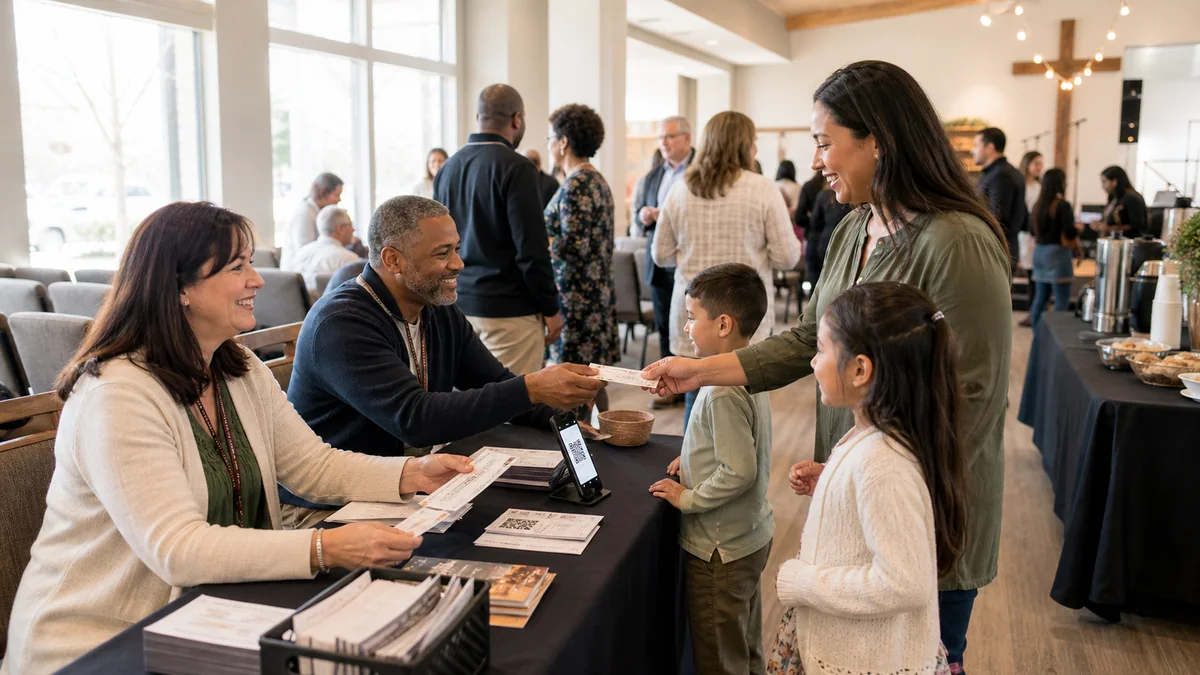
ShowRave's free ticket configuration delivers all of these. A free ticket on ShowRave issues a QR code to every registrant, produces a confirmed guest list, enables pre-event email communication to all registrants, and generates an attendance report from the door check-in. The experience for the attendee is identical to a paid event: they receive a confirmation, they show a QR code at the door, and they are checked in. For the organizer, the data is complete and usable for all of the administrative purposes that a free event still requires.
For faith community events where the organizer wants to ensure the event is accessible to people who may be uncomfortable with any digital process, configuring the event to accept name-at-door walk-ins alongside registered guests means no one is excluded by the registration requirement. The door team adds walk-ins manually and the event remains open while still capturing the data from those who registered in advance.
Ticketed fundraising events: galas, dinners, and concerts
Faith communities are among the most experienced fundraising event organizers in any sector. Annual galas, charity concerts, fundraising dinners, and sponsored events are standard activities for churches, mosques, synagogues, temples, and faith-based charities. The ticketing requirements for these events are the same as for any professional fundraising event: multiple ticket tiers, table packages for corporate and community supporters, dietary requirement capture at registration, reserved seating where appropriate, and post-event reporting for the committee and trustees.
For these events, ShowRave handles the full tier structure: individual tickets at different price points, full table packages for groups, VIP or patron tiers for major donors, and complimentary places for guest speakers or honored community members. The dietary requirement capture through AddOns or registration fields gives the catering team the data they need without a separate collection process. The post-event export provides the attendance and revenue report that faith-based charities need for their trustees and for any grant reporting requirements.
For faith communities that run their fundraising under Gift Aid in the UK, a note in the event description reminding buyers that UK taxpayers can increase the value of their donation through Gift Aid at no additional cost provides relevant information without adding complexity to the ticketing configuration. Gift Aid administration is handled outside the platform through the organization's own procedures.
Children's and family events: safeguarding requirements
Faith communities frequently run events specifically for children: holiday programs, children's Bible clubs, after-school activities, and family-oriented celebrations. These events have safeguarding requirements that go beyond standard event ticketing, and the configuration should reflect them.
For any event where children are attending independently, the registration should capture the child's full name, age, emergency contact name and number, any medical or dietary information relevant to the event, and the supervision arrangement (whether the parent is staying or collecting at the end). These fields should be configured in ShowRave at the ticket setup stage so the information is captured consistently for every registrant rather than being collected informally on the day.
For events where parents and children attend together, capturing the number of adults and children in each family group provides accurate capacity planning for the event format. A church hall that comfortably seats 100 adults may feel very different with 60 adults and 80 children. Configure the capacity limit with the realistic room configuration in mind, not the maximum that would apply to an adult-only event.
Faith communities should verify their own safeguarding policies with their denominational body or charity trustee guidance before configuring events for children. The ticketing platform provides the data capture mechanism; the safeguarding policy is the organization's responsibility.
Interfaith and community outreach events
Many faith communities run events that are deliberately open to the wider community beyond their regular congregation: interfaith dialog evenings, community iftar or seder meals, cultural celebrations, and public lectures on faith-related topics. These events have a different promotional context from internal community events: the audience is not already connected to the faith community and may be reaching it for the first time.
For public-facing interfaith events, configuring the event under the correct ShowRave category, Community or Social for most public gatherings, Religion for specifically faith-focused events, places it in the appropriate section of ShowRave's explore page at/explorewhere community-minded browser audiences may discover it. The event description should be written for a reader with no prior knowledge of the organizing community: what the event is, who it is for, what attendance involves, and what to expect.
The private event setting in ShowRave is appropriate for internal congregation events that are not intended for public discovery. The same platform handles both formats: public community events configured with explore-page visibility, and internal congregation events configured as private and distributed through the community's own channels.
Promotion within faith communities
Faith communities have established internal communication channels that are often more effective for event promotion than public social media: weekly service announcements, congregation WhatsApp groups, email newsletters, and community noticeboards reach an engaged, trust-based audience that external promotion cannot replicate. The event link distributed through these internal channels will consistently outconvert the same link posted publicly.
For events where the faith community wants to grow beyond its existing congregation, the external promotion channels depend on the event's audience: family-focused events benefit from school community groups and local parent networks; cultural events benefit from local cultural community groups and relevant local media; public lectures benefit from LinkedIn and professional community networks where the topic has relevance. Affiliate links to each channel allow the organizer to track which promotional relationships drove the most registrations.
The DP Generator at/dp-generatorworks effectively in faith communities with strong shared identity. Congregation members who update their profile pictures with the event's branded frame communicate their participation to their personal networks, which often include other community members who have not yet registered. For community fundraising events where social visibility of participation is part of the culture, this mechanism extends the reach of internal promotion into the broader personal networks of the community.
GDPR and data protection for faith community events
Faith communities are subject to the same GDPR obligations as any other organization when collecting personal data at event registration. This includes a privacy notice on the event page, a legitimate basis for collecting each data point, no marketing use of attendee data without specific consent, and appropriate retention and deletion practices after the event.
For faith-based charities registered with the Charity Commission or an equivalent body in other jurisdictions, data protection obligations are part of the broader governance framework the charity operates under. Ensure that the event registration configuration is reviewed against the organization's existing privacy policy before configuring fields that go beyond name and email. For further guidance, see our article onGDPR and event ticketing.
Setting up a faith community event on ShowRave
Creating an event on ShowRave for a faith community event follows the same process as any other event, with a few configuration choices that are specifically relevant to the faith community context. Select the event category that best describes the event: Religion for specifically faith-focused events, Community for broad community gatherings, Arts for faith-inspired concerts or performances, Education for lectures and learning events. The category placement affects which browse audience sees the event on ShowRave's explore page and how search engines categorise the listing.
For events involving children, configure the safeguarding-relevant registration fields before the first ticket goes on sale. Child name, age, emergency contact, and dietary fields should all be set up at the event level, not added retrospectively once registration has begun. For fundraising events, configure the ticket tier structure, including any table packages and complimentary guest types, before the invitation goes out to the community.
For events that are intended for the congregation only and not for public discovery, enable the private event setting in the event configuration. The event link can then be distributed through the community's internal channels, such as the weekly newsletter, the congregation WhatsApp group, or the church website's members area, without the event being discoverable by the general public.
The door check-in process using the ShowRave scanner app at/apps/scanneris accessible to volunteers with no technical background. Download the app, log in, and scan. A valid QR code shows green in under five seconds. Most door volunteers are confident with the process within two minutes of using it for the first time. For faith communities that rely on volunteers for all event operations, this simplicity is as important as any other feature the platform offers.
\n\n\n\n