Paper RSVPs were never the bottleneck. The follow-up was.
The traditional wedding RSVP card is not actually the labour-intensive part of wedding guest management. The labour is in chasing the 30% of guests who do not send it back, re-entering every response into a spreadsheet, following up on incomplete meal choices, consolidating all of that into a catering brief, and then repeating the whole process when someone's dietary requirement changes three weeks before the wedding.
Digital guest management through an event ticketing platform does not make weddings less personal. It removes the administrative overhead that consumes the time that should go into the personal parts. A couple who spends three hours chasing paper RSVPs is spending three hours not doing anything else. A couple whose guests RSVP through a digital form that populates a live report has those three hours back.
Using tickets for a wedding: what it looks like in practice
Most couples who use a ticketing platform for wedding guest management use free tickets: the registration is an RSVP mechanism, not a commercial transaction. ShowRave allows free event creation, which means the full functionality of event pages, attendee registration, confirmation emails, QR codes, and attendee reporting is available without any charge to the couple.
The event setup for a wedding typically involves multiple ticket types corresponding to different guest categories. Main Ceremony and Reception guests receive one ticket type. Reception-only guests receive a different one. Evening-only or after-party guests receive a third. Each type can have its own capacity limit, its own description, and its own checkout flow, which means you capture the right information from each guest category without presenting unnecessary options to guests not invited to all parts of the day.
Naming the ticket types appropriately for the occasion makes the experience feel like an invitation rather than a booking. "Ceremony and Reception" is more appropriate than "General Admission." "Evening Celebration" is more appropriate than "Standard Ticket." The name is what guests see in their confirmation, so it should match the occasion.
Collecting meal choices and special requirements
Meal choice collection is where digital guest management delivers the clearest operational advantage. Instead of relying on guests to write their choice on a paper card and the couple to transcribe those cards into a spreadsheet, each guest selects their choice during the registration flow and the compiled responses are immediately available in the attendee report.
Using ShowRave's AddOn feature at the registration stage, you can present meal options as choices guests complete at checkout: main course selection (for example, meat, fish, or vegetarian), dietary restrictions (with a free-text field for specific allergies), dessert preference if applicable, and any other information the caterer needs. The report you export gives the caterer exactly what they need, in a format they can work from directly.
For guests requiring accessible seating, special accommodation, or other specific arrangements, a free-text field at checkout captures this information without requiring follow-up. Collecting it at registration, when the guest's mind is on the wedding, is significantly more reliable than attempting to gather it retrospectively.
Managing plus-ones and group bookings
Plus-ones require information about two people from a single booking. Configure your registration to request the attending guest's name separately from the primary ticket holder's name, along with the plus-one's meal choice and any specific requirements. This information appears in your attendee report alongside the primary booking, which means your seating plan and catering brief can be built from the report directly rather than assembled from multiple incomplete sources.
For families with children, a ticket type specifically for children (with any relevant information fields for dietary requirements or age) keeps your attendee report accurate for catering numbers and venue capacity planning. A venue capacity figure that does not account for children is an unreliable capacity figure for a wedding with a significant number of family guests.
QR-coded invitations and check-in
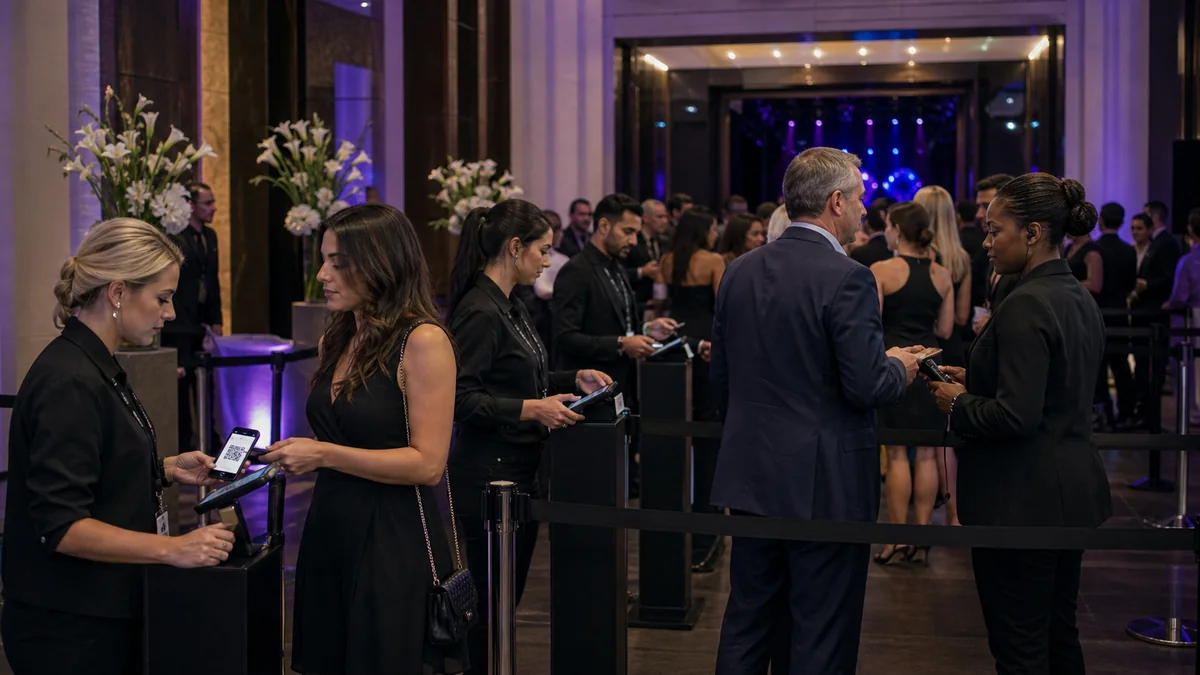
Each guest who registers through ShowRave receives a unique QR-coded PDF confirmation by email. For weddings, this serves as both confirmation of the invitation and a check-in tool at the door. A wedding coordinator with the ShowRave scanner app can manage arrival at the venue entrance efficiently, with a green scan confirming the guest is on the list and the app logging attendance in real time.
For larger weddings with multiple arrival periods (ceremony guests arriving at midday, reception additions joining later), multiple scanner devices can be used simultaneously, each checking in guests against the same event. The live attendance count in the dashboard tells the coordinator how many guests have arrived, which is useful for timing the start of the ceremony if waiting for a specific proportion of guests to be seated.
The QR-coded PDF also functions as a personalised digital invitation that guests can save or screenshot. For destination weddings where sending physical invitations internationally is expensive and slow, a well-formatted digital confirmation serves the same purpose.
GDPR and data privacy for wedding guest information
Wedding guest data, including names, contact details, meal choices, and dietary information, is personal data subject to data protection regulations including UK GDPR. When collecting this information through a digital platform, the couple or wedding planner should ensure that guests understand what their data will be used for (wedding logistics only), that the information will be shared with the venue and caterer for event purposes, and how long it will be retained.
A brief privacy note on the event page, confirming that guest data will be used for wedding planning purposes and shared with the venue and catering team, satisfies this transparency requirement. Guests who have completed digital forms for professional events will recognise this as standard practice rather than an intrusion.
After the wedding, delete or archive the guest data from the platform. Wedding guest information has no ongoing value once the event is over, and retaining personal data longer than necessary is both poor practice and a potential GDPR compliance issue.
Managing last-minute changes
Weddings have more last-minute changes than almost any other event type. A guest who cannot attend. A plus-one who changes. A dietary requirement that was not communicated at registration. An unexpected addition from the morning's guest list movements. Digital guest management makes these changes significantly easier than paper systems because the master list is live and accessible from anywhere.
Communicate changes to your caterer and venue with a updated export from your attendee report rather than a series of individual messages. A final export two to three days before the wedding gives the caterer the confirmed numbers they need for final preparation, and any changes after that date can be handled as individual notifications rather than requiring a full re-send of the report.
Seating plan integration
One of the most time-consuming tasks in wedding planning is the seating plan. Digital guest management simplifies this significantly because all the information you need, confirmed attendees by category, plus-one details, dietary requirements, table preference requests, is available in a single exportable report rather than assembled from multiple handwritten cards and spreadsheet entries.
Export your attendee list at the point when RSVPs close and use it as the source document for your seating plan. Each row in the export represents a confirmed guest with all their associated information. For couples managing the seating plan in a spreadsheet or dedicated seating software, this export eliminates the manual data entry step that is typically the most error-prone part of the process.
After the wedding: what to do with the guest data
After the wedding, the guest data collected through ShowRave should be exported, archived appropriately, and then removed from the platform. Wedding guest data has no ongoing operational value once the event is over, and retaining it longer than necessary exposes the couple or coordinator to unnecessary data protection obligations.
Before deletion, ensure the export you retain contains everything you might need: the full guest list with contact details for thank-you communications, dietary data for reference, and attendance records. A single well-labelled export archived in a secure location covers all of these uses without needing to maintain live access to the platform data indefinitely.
The digital invitation as a practical option
For couples comfortable with a digital-first approach, the QR-coded PDF confirmation from ShowRave can serve as the primary invitation rather than a supplementary confirmation. This is most relevant for smaller weddings, destination weddings where posting cards internationally is impractical, or couples who have chosen a sustainable approach that avoids unnecessary paper use.
A digital invitation designed to look like a wedding invitation, featuring the couple's names prominently, the date, the venue, and the dress code alongside the QR code, can be shared via email or messaging app. For guests who prefer a physical copy, the PDF prints cleanly at standard paper sizes. Any updates, venue change, time change, parking information added, can be communicated through a single follow-up email to the full guest list rather than requiring reprinting and reposting.
Using the platform to communicate with specific guest groups
Wedding guest lists often contain distinct groups who need different information at different points in the planning process. Ceremony-only guests need to know about the venue and the ceremony timing. Reception guests need to know about the meal choices and the table arrangement. Evening-only guests need to know when to arrive and what the format will be for their part of the event.
With separate ticket types for each guest category in ShowRave, you can export the attendee list filtered by ticket type and send targeted communications to each group. Ceremony guests receive the ceremony venue details and parking information without being confused by reception-specific catering instructions that are not relevant to them. Reception guests receive the meal choice reminder without evening-only guests being asked to complete a form that is not applicable to their attendance.
This segmented communication approach reduces the volume of clarification questions the couple or coordinator receives in the weeks before the wedding, because every group is receiving exactly the information they need rather than a comprehensive communication that covers more than their specific situation requires. For large weddings with multiple distinct guest categories, the time saving is significant and the reduction in miscommunication pays for the initial setup investment many times over.
\n\nThe digital tools available for wedding guest management have made what was once a time-consuming, error-prone process into something that runs reliably with minimal effort from the couple or coordinator. That reliability is what makes the investment in setup worthwhile.