
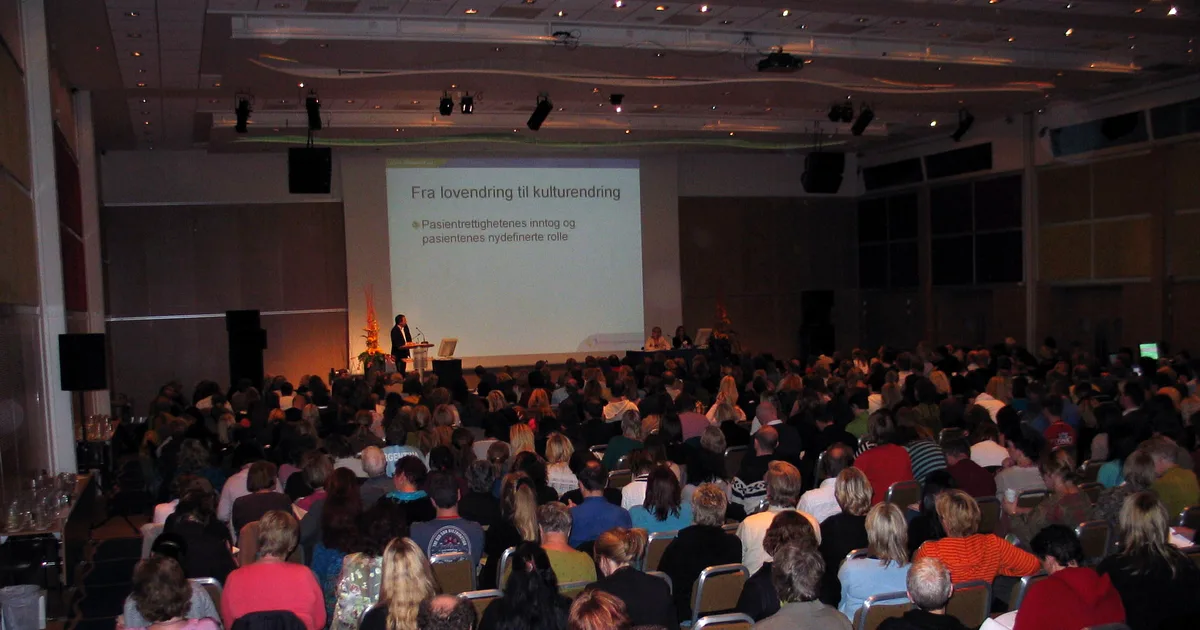
A conference is not a single ticket problem
Most event ticketing guides cover a straightforward scenario: one event, one venue, one audience type, a handful of ticket tiers, doors open at a set time. A conference does not fit that template. A multi-day professional conference typically has full-delegate passes covering all sessions, single-day options for attendees who can only make part of the event, workshop add-ons that require separate capacity management, speaker and VIP passes that need different access handling, corporate group bookings where a company is paying for multiple attendees under one invoice, and post-event reporting that stakeholders and sponsors will scrutinise.
Getting the ticket setup right before the conference goes on sale means the registration process works correctly for every attendee type, the data captured at checkout serves the reporting the event team needs, and the operational flow on the day is clean. Getting it wrong means manual correction under pressure, incomplete data, and a registration experience that makes the conference look less professional than the content inside it.
This guide covers the ticket configuration, data collection, and attendee communication setup that a professional conference requires.
Mapping your ticket types to your actual attendee categories
Before building anything in ShowRave, list every type of person who will attend the conference and what their access and payment arrangements are. The ticket types you configure should map directly to this list, not to a generic tier structure borrowed from entertainment events.
A typical professional conference needs at minimum: a full-delegate pass covering all days and general sessions; a single-day pass for each day the conference runs, each with its own capacity limit; a workshop or breakout session add-on for sessions with limited capacity that require separate booking; a speaker or presenter pass (typically complimentary, configured as a free ticket type with a specific label); a media or press pass with appropriate access; and a corporate group ticket type for company block bookings at a negotiated rate.
Each of these should be a separate ticket type in ShowRave with its own name, price, and quantity cap. Independent capacity limits per type mean that a sold-out Day 1 single-day pass does not prevent Day 2 sales, and a full-delegate pass allocation can close without affecting workshop availability. Configure per-type capacity before tickets go on sale and do not rely on manually monitoring a single overall cap.
Registration data that serves the conference operation
Conference registration data has to do more work than a typical event's attendee list. The catering team needs precise dietary requirements. The program team needs to know which workshop sessions each attendee has selected. The sponsor and exhibitor team needs the attendee profile data that justifies the sponsorship investment. The finance team needs a record of corporate group bookings and any invoice arrangements.
Configure your ShowRave registration fields to capture every data point the conference operation needs at the point of registration, not in a follow-up survey. A follow-up survey after registration produces lower completion rates, incomplete data, and an additional administrative step. A complete registration form captures everything once, in a consistent format, and the compiled output is immediately available in the attendee export.
Essential fields for most professional conferences: job title and organization (for attendee profiling and networking tools); dietary requirements with a free-text allergy field; accessibility needs; session selections where breakout capacity requires pre-registration; and whether the registration is individual or part of a corporate group booking. For corporate bookings, capturing the billing organization name and a purchase order number in a dedicated field saves significant back-and-forth with finance teams after the event.
Workshop and breakout session add-ons
Breakout sessions with limited capacity are one of the most common sources of conference administration problems when not handled correctly from the start. If session selection is managed informally, through a sign-up sheet at the door or a separate form, the capacity limits are unenforceable, popular sessions fill with people who did not register, and the data on who attended which session is incomplete or absent.
Configure high-demand workshop or breakout sessions as AddOns in ShowRave so that attendees select their session during the same checkout flow as their main ticket. Each AddOn has its own capacity limit that closes automatically when the session is full. The attendee's session selection is captured in their registration record and appears in the attendee export alongside all other registration data. The session capacity is enforced at the point of registration, not at the door on the day.
For full-delegate conferences with a pre-set program and no variable session selection, this step is not needed. For conferences with concurrent sessions, topic-specific workshops, or any session requiring a separate booking, AddOns solve the management problem before it creates day-of chaos.
Corporate group bookings
Conference attendees frequently register as part of a corporate group: a company sends five people from the same team, an agency books a table for a client entertainment element, a sponsor buys a package that includes delegate passes alongside their branding commitment. These group bookings have different commercial arrangements from individual registrations and different operational requirements on the day.
Create a corporate or group ticket type with a minimum quantity requirement so that the negotiated group rate only activates for genuine block bookings. In the description, include any invoice or purchase order instructions so that corporate buyers know how billing is handled before they complete the purchase. After the conference, the attendee export distinguishes group-registered attendees by their ticket type, which allows the finance team to reconcile group bookings against invoices without manually sorting through a combined list.
Sponsor and exhibitor reporting
Sponsors at a professional conference are making a business decision, not a charitable contribution. Their renewal decision is based on whether they can demonstrate return on the investment to their own stakeholders. An organizer who provides a specific, data-backed post-event report has a meaningful advantage over one who provides a thank-you note and a verbal summary.
The ShowRave attendee export provides the attendance data that underpins this report: total delegates by ticket type, no-show rate, job title and organization breakdown where those fields were captured at registration, and workshop session attendance where AddOns were used to track selection. Combine this with your own media monitoring and social coverage data to produce a report that answers the specific question sponsors are asking internally: what did our presence at this conference actually deliver?
Build the post-event sponsor report into your conference production timeline as a standard deliverable, not an afterthought. Send it within two weeks of the event while the sponsor's positive memory is still active. Use it as the opening of a renewal conversation rather than a closing formality.
Pre-event communication for a professional audience
Conference attendees arrive better prepared and participate more actively when the pre-event communication is specific and useful rather than generic. A confirmation email is the minimum. Beyond that, a pre-conference email sent one week before the event that covers the program schedule, venue logistics, session selection confirmation, and networking arrangements tells attendees what to expect and what to prepare.
For conferences with a large corporate audience, the pre-event email also reduces the volume of day-of queries the registration desk receives. Questions about parking, catering, wifi, and session locations are best answered in writing before the event rather than verbally on arrival when the desk team is busy managing check-in for 400 people.
ShowRave sends automated reminder emails to all registered attendees in the days before the event. Supplement these with a customised conference-specific communication that addresses the specific operational questions your audience will have. Your attendee list, segmented by ticket type, allows you to send different pre-event communications to different delegate categories where the content genuinely differs by access type.
Check-in at a professional conference
Conference check-in involves the same QR scanner technology as any other event, with one additional consideration: different ticket types may have different access to different areas of the venue. Full-delegate passes access the main hall, the breakout rooms, and the networking lunch. Single-day passes access only the day they purchased. VIP and speaker passes may access a separate green room or backstage area.
Configure a dedicated scanner and a briefed operator for each access point. The ShowRave scanner app available at/apps/scannershows the ticket type in the scan result, so an operator at the VIP entrance can confirm they are seeing the right pass without needing a separate list. Multi-device scanning means simultaneous check-in streams at registration, the main hall entrance, and workshop session doors do not interfere with each other.
For conferences with a badge printing workflow, the attendee export from ShowRave provides the clean data feed that badge printing systems require. Export the list before the event, format it for your badge printing tool, and the conference badges are accurate because they came from the registration system rather than being manually compiled.
The data review that improves every future edition
Professional conferences that run annually or regularly generate compounding intelligence across editions when the data is reviewed consistently. The post-event analytics from ShowRave tell the specific story of how the registration and attendance played out: which ticket type sold fastest, what the no-show rate was by delegate category, which workshop sessions reached capacity fastest and which had empty seats, and how the pre-event communication affected check-in speed on the day.
For a conference that runs once a year, reviewing this data within two weeks of the event and documenting the specific changes to make for the next edition is one of the highest-value operational practices available. The program team learns which sessions generated the most demand. The marketing team learns which channels sent the most registrants. The finance team gets the accurate final headcount that closes off the event's P&L. And the organizer arrives at next year's planning process with evidence rather than memory.
Set up your conference on ShowRave, configure the registration fields that your operation requires, and manage the complete delegate journey from first ticket sale to post-event report from one platform. Current pricing and setup details are at/pricing.
\n\nExport the attendee report after every conference. Review the no-show rate, session demand, and channel attribution before the next planning cycle begins. The organizers who do this consistently build conferences that improve measurably with each edition rather than repeating the same assumptions year after year.