A gaming tournament serves two audiences with completely different needs
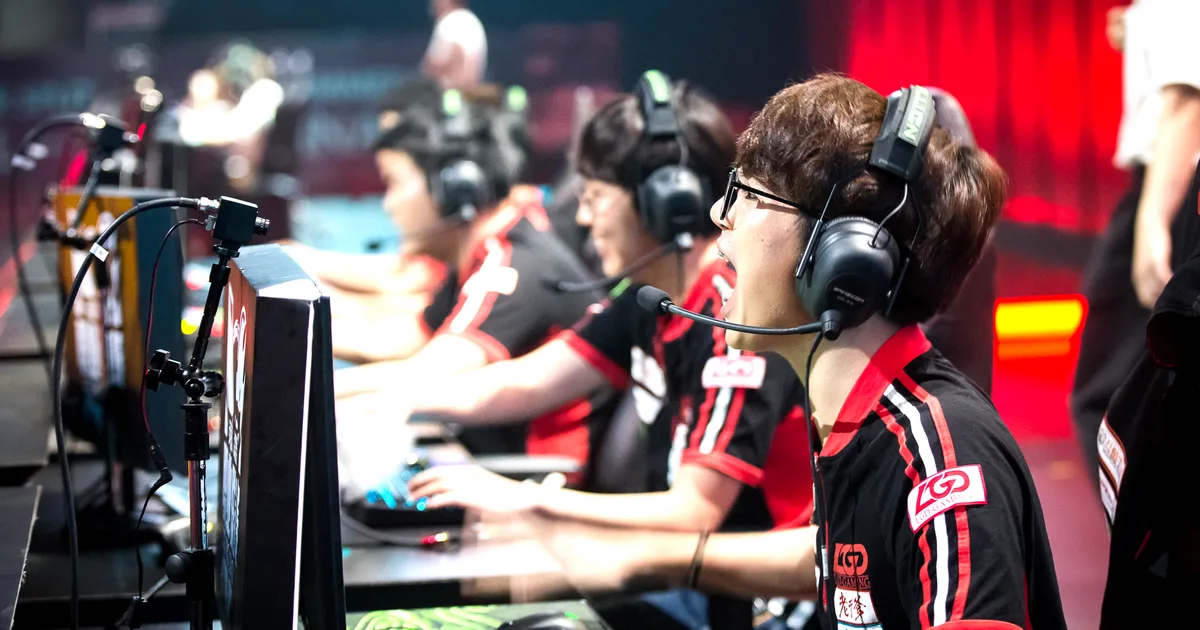
The participant at a gaming tournament is there to compete. They need a registration that captures their game identity, their team composition, their bracket seeding information, and their equipment requirements. Their ticket is a competition entry, not a viewing experience. The spectator at a gaming tournament is there to watch. They need a clear view of the action, an understanding of what competition format is being played, and a checkout experience as simple as any other entertainment event.
Most gaming tournament ticketing configurations fail by treating both audiences the same: either they configure the event as an entertainment show with no participant-specific data capture, or they configure it as a participant-only registration with no spectator provision. A well-configured gaming tournament handles both audiences with appropriate, distinct ticket types and generates the specific data each audience group requires without imposing irrelevant registration fields on the other.
Participant ticket types and registration data
Participant registration is the more complex of the two ticket types. The data required varies by game and format, but the standard set for most competitive gaming events includes: in-game username or gamertag; game title and platform (where multiple games or platforms are part of the tournament); team name and team captain designation for team-based formats; seeding or ranking information where the tournament uses bracket seeding; emergency contact for extended multi-day events; and dietary requirements for events with catering.
For team-based formats where teams register as a unit, configure a team registration ticket type that covers all team members in a single purchase. The team captain completes the checkout and the individual team member details are collected in a follow-up from the captain to the organizer before the event. Include explicit instructions in the team ticket description about this follow-up process and the deadline for individual member data submission.
For open-entry tournaments where bracket seeding is based on self-declared ranking or on-platform statistics, a ranking or rating field at registration allows the tournament to structure brackets fairly before any communication is needed with individual participants. If ranking verification is required for the event's competitive integrity, include a note in the registration description about the verification process and any consequences of false declaration.
Spectator tickets: the entertainment audience
Spectators at an esports event or gaming tournament are an entertainment audience. Configure spectator tickets as straightforward general admission with optional premium seating where the venue layout allows front-row or side-stage positioning with a better view of the main display screens or competition stations.
For events with a significant spectator audience, the entertainment experience is enhanced by the production quality of the tournament broadcast: large screens, commentary audio, and a layout that allows spectators to follow the competition clearly. Include specific details about the spectator experience in the event description: what game or games are being played, the tournament format, whether commentary is provided, and what the approximate program duration is. Spectators who understand what they are watching and for how long make better-informed attendance decisions, which reduces the frustration of buyers who arrived expecting a different format.
For hybrid events where the competition is streamed online alongside the physical spectator audience, configure separate in-person and online spectator ticket types. Online spectators need access link delivery in their confirmation email; in-person spectators need venue address and entry information. Both generate QR codes in ShowRave; the online QR functions as a registration confirmation for digital access verification rather than a physical entry scan.
AddOns for gaming events
Gaming tournament AddOns should connect directly to the competitive or fan experience. Tournament merchandise, such as a participant T-shirt or a team jersey, is the most natural AddOn for participant tickets. A limited-edition poster or program for the tournament is the equivalent for spectators. For events with a gaming equipment component, a peripheral hire package, such as a specific mouse, headset, or controller available for competitors who prefer not to bring their own, is an AddOn that directly serves the competition experience.
For charity gaming tournaments, a donation AddOn at checkout allows participants and spectators to contribute above their registration or ticket price to the charity the tournament supports. Gaming communities have a strong tradition of charity fundraising through competitive events; configuring a donation AddOn at checkout captures this generosity at the moment of maximum commitment rather than relying entirely on in-event fundraising activities.
Reaching gaming communities through their native channels
Gaming audiences discover events through channels that are specific to gaming culture and entirely different from the channels used for most entertainment events. Discord is the primary community communication platform for almost every organized gaming community: specific server communities for games, competitive teams, esports organizations, and gaming content creators each have their own Discord presence where announcements and event information are shared and discussed.
Twitch is the primary streaming platform where gaming audiences spend their time: a tournament announcement on a streamer's Twitch broadcast or a clip of tournament footage shared through Twitch clips reaches gaming audiences in their native entertainment context. Reddit gaming communities, game-specific subreddits, and competitive gaming subreddits are high-traffic communities where event announcements receive engaged responses from relevant audiences.
Affiliate links through ShowRave work particularly well for gaming tournaments when distributed to content creators, gaming community admins, and competitive team channels. A content creator who shares their unique link with their Discord server or Twitch stream audience is reaching gaming buyers with a trusted personal recommendation in their own community space. Configure affiliate links for every significant gaming content creator, community admin, and team organization that is promoting the tournament.
Day-of operations at a gaming tournament
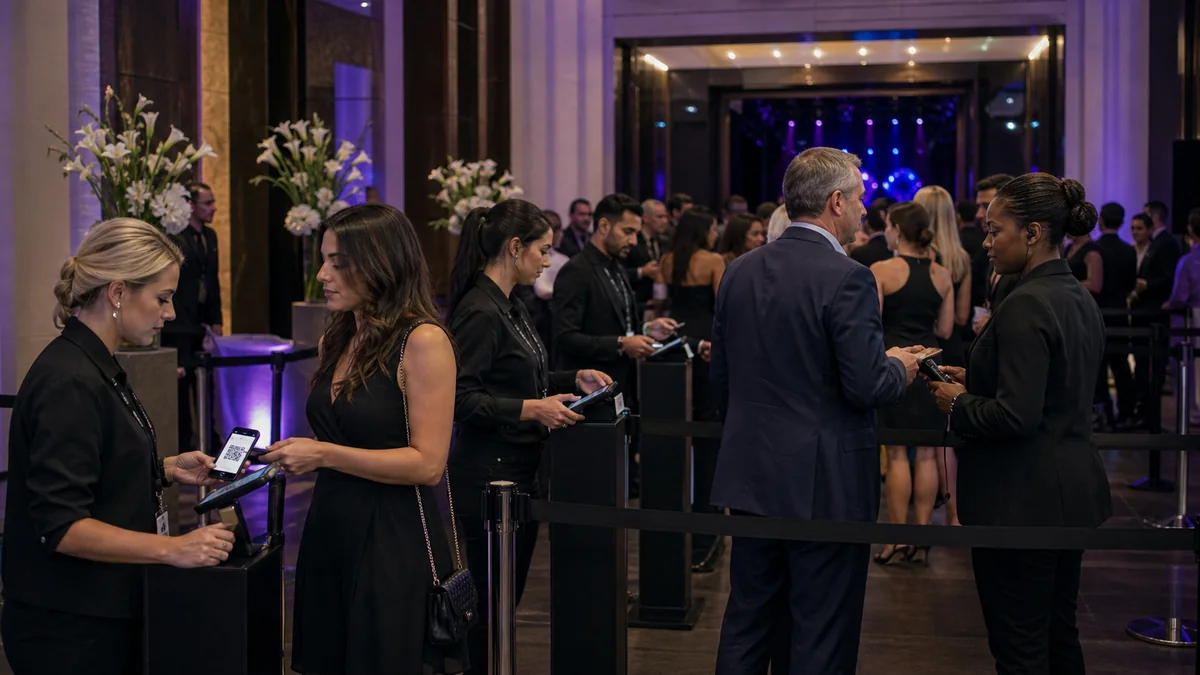
Gaming tournament check-in needs to handle both participant registration, which is operationally more complex than a standard show, and spectator entry, which follows the standard QR scan process. Assign separate teams to each process rather than handling both through the same entry queue.
For participants, the registration desk collects their gamertag confirmation, assigns their bracket position if applicable, handles equipment setup questions, and distributes any physical items included in their registration such as lanyards, competitor badges, or tournament merchandise. This process takes several minutes per participant; a dedicated registration desk allows this to happen without holding up the spectator entry queue.
For spectators, the ShowRave scanner app at/apps/scannervalidates QR codes at a separate entry point. Spectators typically arrive across a wider window than participants, who need to be checked in before their bracket starts. Configure the scan team for spectator entry separately from the participant registration desk and ensure both teams have been briefed specifically on the different processes they are handling before any doors open.
Configure your gaming tournament at/create/create-venue-event. Set up participant and spectator ticket types with the appropriate registration fields and AddOns before the first community announcement goes out.
Virtual and hybrid gaming tournaments
A significant proportion of competitive gaming happens in hybrid or fully virtual formats: participants compete from their own setups at home while a physical venue hosts the broadcast, commentary, and live spectator audience. For hybrid tournaments, the ticketing configuration needs to serve both the in-person spectators and the remote participants.
Configure ShowRave as an online event at/create/create-online-eventfor fully virtual competitions, or as a venue event with separate in-person spectator and remote participant ticket types for hybrid formats. Remote participant registration captures the competition data, gamertag, team, platform, and equipment confirmation, without the venue logistics data that in-person participants need. In-person spectator tickets go through the standard venue entry checkout. Both generate QR codes; the remote participant's QR is their competition confirmation rather than a physical entry scan.
Charity gaming tournaments
Gaming communities have a strong culture of charity fundraising through competitive tournaments. Charity gaming events often run 24 hours or longer, combining the competitive element with a continuous stream of gameplay, challenge donations, and in-event fundraising moments. The ticketing setup for a charity gaming tournament differs from a standard competition because the fundraising objective is at least as important as the competitive one.
Configure a donation AddOn at participant and spectator checkout, with clear impact framing: "Add a donation to [charity name] to support [specific cause]." For charity gaming events where the fundraising total is the primary success metric, the combination of registration fees, spectator tickets, and checkout donations provides the pre-event revenue certainty that allows the event team to commit to production costs before the live stream fundraising begins.
For gaming marathon events where a live donation stream is part of the experience, the registered participant and spectator list from ShowRave provides the initial donor pool whose pre-event commitment is the starting point for the total. Communicate the pre-event donation total to the audience when the stream begins: "Your registrations and pre-event donations have already raised [amount] for [charity]. Our goal is [total]." This specific opening provides the context that motivates in-stream giving throughout the marathon.
Building a recurring tournament program
Gaming communities are among the most loyal and recurring audiences in any entertainment category, because competitive gaming creates ongoing stakes that bring the same participants back season after season. A tournament organizer who builds a recognised series, with a consistent format, consistent branding, and consistent operational quality, creates a competitive calendar that participants plan their gaming around rather than evaluating as a one-off.
Retain the ShowRave participant data from every tournament. Past participants whose performance data, such as previous tournament results, is retained across editions become the seeding basis for future brackets, which gives the tournament competitive integrity that informal open registrations cannot provide. A tournament that seeds brackets based on verified historical performance attracts competitive players who want to compete against a fair field, which raises the overall competitive quality and the commercial value of the event over successive editions.
\n\nThe gaming tournament that builds a serious competitive reputation does so by running consistently, seeding brackets fairly, producing reliable operations on the day, and communicating the results and standings clearly after each edition. The ticketing infrastructure provides the participant data and spectator registration that make this consistency possible at scale.
\n\nEvery strong show program is built on operational discipline applied consistently across every edition, regardless of size or format. The tools are the same: a complete event page, the right ticket configuration, performer or partner affiliate links, the DP Generator, a clean checkout, post-show data review. The compounding is the result of applying them every time.