Not every event should be discoverable by everyone
The default assumption in event ticketing is that more visibility is always better: the more people who see the event page, the more potential buyers there are. This is true for public events that want to grow beyond their existing audience. It is wrong for events where the organizer specifically wants to control who attends, maintain the character of an intimate or exclusive gathering, or ensure the audience is made up of the right people for the event's purpose.
A private members club dinner, an invitation-only product launch, a family birthday celebration, a corporate event for company staff, a religious community gathering, or an industry event for vetted professionals all share the same requirement: the event page should be accessible to the intended audience and not discoverable by anyone else. ShowRave's private event mode handles this precisely.
How the private event setting works
When an event is configured as private in ShowRave, it does not appear in the explore page at/explore, it is not indexed by search engines, and it is not visible to anyone browsing the platform by category or location. The event exists and is fully functional for buyers who have the direct URL, but it is invisible to everyone who does not have that link.
The private setting is a single configuration choice in the event creation form. There is no additional setup required. Once enabled, the event page works exactly as a public event page does for anyone who receives the link: they can see the full event details, select a ticket type, complete the checkout, and receive their QR-coded confirmation. The visibility restriction is entirely transparent to the buyer experience.
Distributing the private link is the organizer's responsibility. The link can be shared via email, WhatsApp, a private web page, a printed invitation, or any other channel that reaches the intended audience. Only people who receive the link through these channels can access and register for the event.
The use cases where private mode is the right choice
Private mode is appropriate for any event where the organizer wants to control the audience composition without building a formal vetting or approval system. The most common use cases are:
Invitation-only events.The organizer has a specific list of people they want to invite. The link is shared with that list and no one else. Anyone who receives the link through an invitation is welcome to register; no one who was not invited can find the event independently.
Members-only or subscriber events.A club, association, or community with a defined membership runs events for members specifically. The private link is shared through the members-only channel, such as a members newsletter, a private community platform, or a dedicated members WhatsApp group. Non-members who encounter the event by other means cannot access the page.
Corporate and internal events.A company running an event for employees, clients, or partners distributes the link through internal or controlled channels. The event is not intended for public discovery and should not be visible to anyone outside the intended audience.
Curated audience events.Some events maintain their character and quality by controlling the audience mix: an intimate salon-style discussion, a specialist networking event for a specific professional community, or a recurring dinner where the host knows most of the guests. Private mode allows the organizer to maintain this control without requiring a formal approval workflow for every registrant.
Combining private mode with coupon codes for tiered access
Private mode answers the question of who can find the event. Coupon codes answer the question of what different members of that audience pay. Combining the two creates a private event with differentiated pricing for different audience segments, which is the configuration many members clubs, professional associations, and curated community events actually need.
A practical example: a members club runs an annual dinner as a private event, accessible only through the members link. Within the audience, members pay the standard member rate, life members pay a reduced rate, and guest places are available at a higher non-member rate. Configure three ticket types in ShowRave with the appropriate prices. Distribute a unique discount code to life members specifically, which reduces their ticket price when applied at checkout. Non-member guest places are sold at the standard ticket price without a code.
The same structure applies to any situation where a private audience has internal tiers: community events with a core committee who attend free and a broader community who pay a reduced rate; professional events with sponsor guests who attend on a complimentary basis and other attendees who pay; family events where immediate family attend free and extended family are charged a modest contribution. Each tier is a ticket type; the private setting keeps the whole structure invisible to the public.
Managing communication for a private event
Communication for a private event operates through the same ShowRave tools as any event but with a more specifically targeted feel. The confirmation email goes to each registered buyer with their QR code and event details. Pre-event reminder emails go to all registered attendees. The post-event communication goes to the attendee list.
For invitation-based private events, the pre-event communication can be more personal in tone than a public event because the organizer knows exactly who is on the list. Addressing registrants by name in the subject line, referencing the specific community they belong to, and acknowledging the exclusive nature of the event are all appropriate for a private event communication in a way that they would not be for a general public event email.
The private event setting does not restrict any of the communication functionality. Automated reminders, manual emails to the attendee list, and all post-event communication work identically for private and public events. The only difference is that new buyers cannot find the event unless they have the direct link, which is the defining operational requirement for a controlled-access event.
When to use private mode versus invitation-only ticketing with a public page
Some events are technically invitation-only but benefit from some degree of public visibility: a new event building its reputation might want to be discoverable by interested people even if registrations are by invitation only. For these events, a public page with a waiting list or an application-to-attend flow serves the purpose better than a private event setting, which removes all discovery.
Private mode is specifically for events where discovery by the general public is actively unwanted rather than merely limited. If there is any scenario where the organizer would welcome an uninvited person finding the event and registering, private mode is probably not the right setting. If the organizer would consistently prefer that people find the event only through the intended distribution channels, private mode is exactly the right setting.
Configure your private event at/create/create-venue-eventfor venue events or/create/create-online-eventfor online events. The private mode toggle is in the event configuration section alongside the other visibility settings.
Private events for professional and B2B contexts
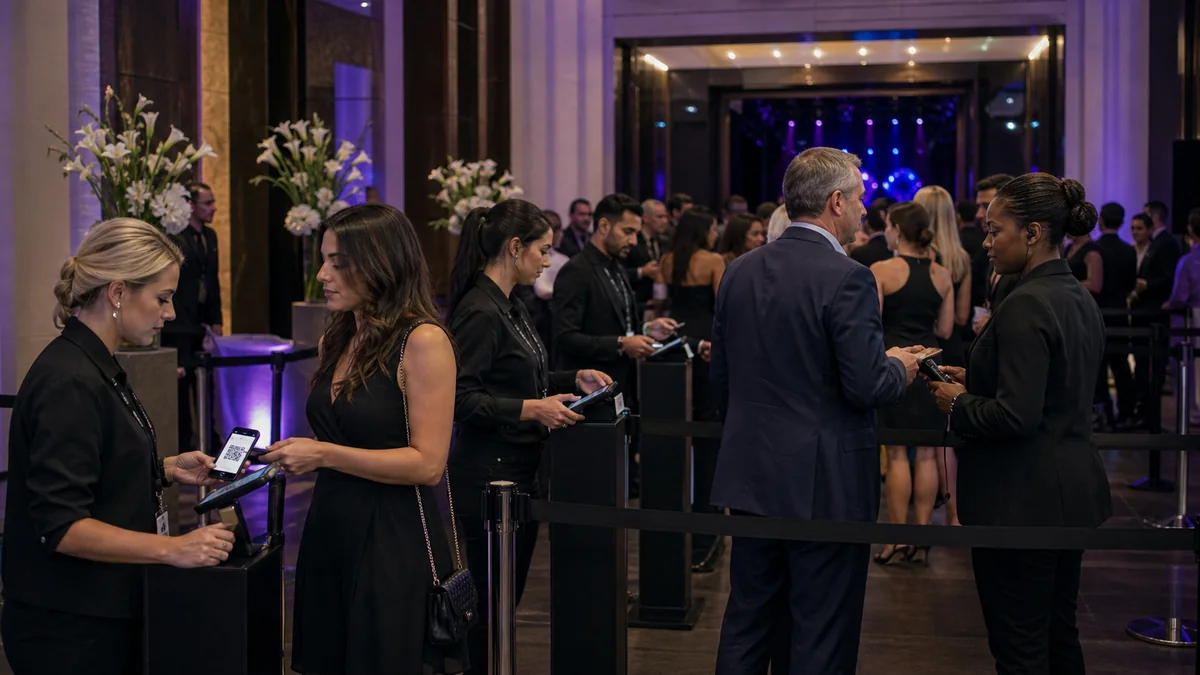
Private event mode is particularly valuable in professional and B2B contexts where the organizer needs controlled access without the overhead of a formal invitation management system. A law firm hosting a client roundtable, a technology company running an exclusive product preview for enterprise customers, or a professional association hosting a member-only briefing are all events where the intended audience is specific and the organizer does not want the event to be discoverable by people outside that audience.
For these events, configuring the ShowRave page as private and distributing the link through the professional CRM, the association's member portal, or a targeted email to the intended guest list provides the audience control without requiring a custom-built access management solution. The buyers who receive the link experience a standard, professional checkout. The organizer maintains the audience composition they intended.
For professional events where tracking which individual sent each guest to the event matters, such as account manager events where individual AMs invite their specific client contacts, ShowRave's affiliate link system can be combined with private mode. Each account manager receives a unique affiliate link as well as the event link. When their clients register through that link, the registration is attributed to the sending account manager, giving the organizer a precise record of who invited whom. This attribution is useful both for event follow-up and for commercial relationship management.
The link distribution strategy for a private event
Distributing a private event link requires thinking carefully about which channels are truly controlled and which might inadvertently expose the link beyond the intended audience. An email to a list of 500 people is controlled: those 500 people receive the link. A social media post with the link, even if the account is private, is less controlled because the post can be shared, screenshotted, or visible to people outside the intended audience.
For strictly private events, the most reliable distribution channels are direct email to a specific list, a message in a private group where membership is controlled (a company Slack, a private WhatsApp group, a private Facebook group), or a page on a password-protected website or member portal. Avoid posting the private event link on any platform where it could be shared forward by recipients beyond the intended audience without the organizer's knowledge.
If a private event link is shared beyond the intended audience and unintended buyers register, the organizer can review the attendee list before the event and identify any registrants who do not belong, contact them directly, and process refunds where appropriate. The ShowRave attendee list with the registration timestamp allows the organizer to see the full picture of who registered and when, which supports this kind of post-distribution review if it becomes necessary.
\n\n\n\nPrivate mode does not limit what ShowRave can do for an event. It limits who can find it. Every other feature, communication, check-in, reporting, AddOns, and affiliate tracking, works identically. The visibility is controlled; the capability is unchanged. For any event where the audience should be defined by invitation rather than discovery, that combination is exactly the right tool.